
Robohub.org
How to fine tune your robot’s payload, and why
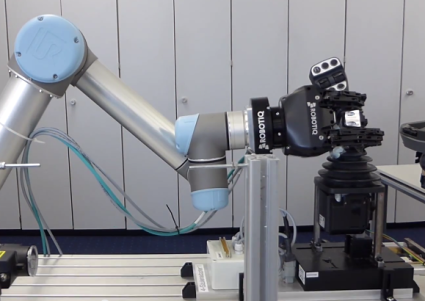 Payload, grip force, weight, and reach are all data that are used to describe and differentiate robots from each other. Payload is mostly used to determine the weight that the robot can carry through space. However, in order to enhance your robot program, you may want to fine tune your robot payload. Here’s why.
Safety
For safety purposes you should set your payload. In fact, especially for collaborative robots where human-robot interaction is anticipated, it is important to determine what the reaction of the robot should be. Since the robot is able to feel an impact to its joints or at its base, it is normal to set the payload of each motion of the robot to tell it that it is carrying X weight and that it should be feeling Y force. If this force is exceeded, then this would be an abnormal force and could mean a problem.
For example, take a robot that is carrying a 5kg (49.05N) payload. The program has been set in order to tell the robot it has acquired this payload in its gripper. If under normal operating conditions the robot accidentally hits a human operator, then you would want the robot to react, preferably to slow down and stop. If the safety setting were set to 60N, this means the robot is very sensitive and will stop at +/-10N impact, which is pretty small.
To take full advantage of the robot programming, you should set the program when the robot isn’t carrying a specific payload. The safety setting will consequently be adjusted.
Acceleration
The same principle applies for acceleration. Since the robot has been set to a certain acceleration and that acceleration is done by powering the robot joints, the robot needs to know the payload carried. In fact, if the acceleration has to be fast and the payload is at its max, the motor will in all likelihood read an overcurrent and call an emergency stop.
The opposite is also true: if you have no payload, but the robot thinks it has a certain payload, it will read an undercurrent. This will lead the robot to accelerate quite fast, which can produce a collision or a misalignment of the robot arm.
Don’t forget that the base payload has to include the robot tool. The full payload should consider the robot tool and the part it is carrying.
How to know if my payload is set correctly?
Since there are a couple of factors that can contribute to your robot payload, it may be hard to determine the exact payload to be set in the program. Luckily, there is a very easy way to test if your robot payload has been set correctly.
Since we did some of our testing with Universal Robots I will use this specific situation, but most robots will follow the same rules.
You will set the robot payload in your basic settings; with UR you can touch the button at the back of the teach pendant called: ”FREE DRIVE”. If the robot arm moves up, the payload is set too low or is too light. If the robot arm is going down, the payload is set to high or is too heavy. With this approach you can then fine tune your payload — just note the adjustment needed and adjust the payload setting in your UR program.
These are a couple of easy tricks that can save you a lot of trouble when debugging your robot. We will be posting more technical articles in the next few weeks and would like to have your feedback and your input on problems you have experienced (in this case) with your robot payload.



AUAI is supported by: