
Robohub.org
ROS 101: Drive a Husky!
In the previous ROS 101 post, we showed how easy it is to get ROS going inside a virtual machine, publish topics and subscribe to them. If you haven’t had a chance to check the out all the previous ROS 101 tutorials, you may want to do so before we go on. In this post, we’re going to drive a Husky in a virtual environment, and examine how ROS passes topics around.
An updated version of the Learn_ROS disk is available here:
https://s3.amazonaws.com/CPR_PUBLIC/LEARN_ROS/Learn_ROS-disk1.vmdk
https://s3.amazonaws.com/CPR_PUBLIC/LEARN_ROS/Learn_ROS.ovf
Login (username): user
Password: learn
If you just downloaded the updated version above, please skip the next section. If you have already downloaded it, or are starting from a base install of ROS, please follow the next section.
Updating the Virtual Machine
Open a terminal window (Ctrl + Alt + T), and enter the following:
sudo apt-get update
sudo apt-get install ros-hydro-husky-desktop
Running a virtual Husky
Open a terminal window, and enter:
roslaunch husky_gazebo husky_empty_world.launchOpen another terminal window, and enter:
roslaunch husky_viz view_robot.launchYou should be given two windows, both showing a yellow, rugged robot (the Husky!)
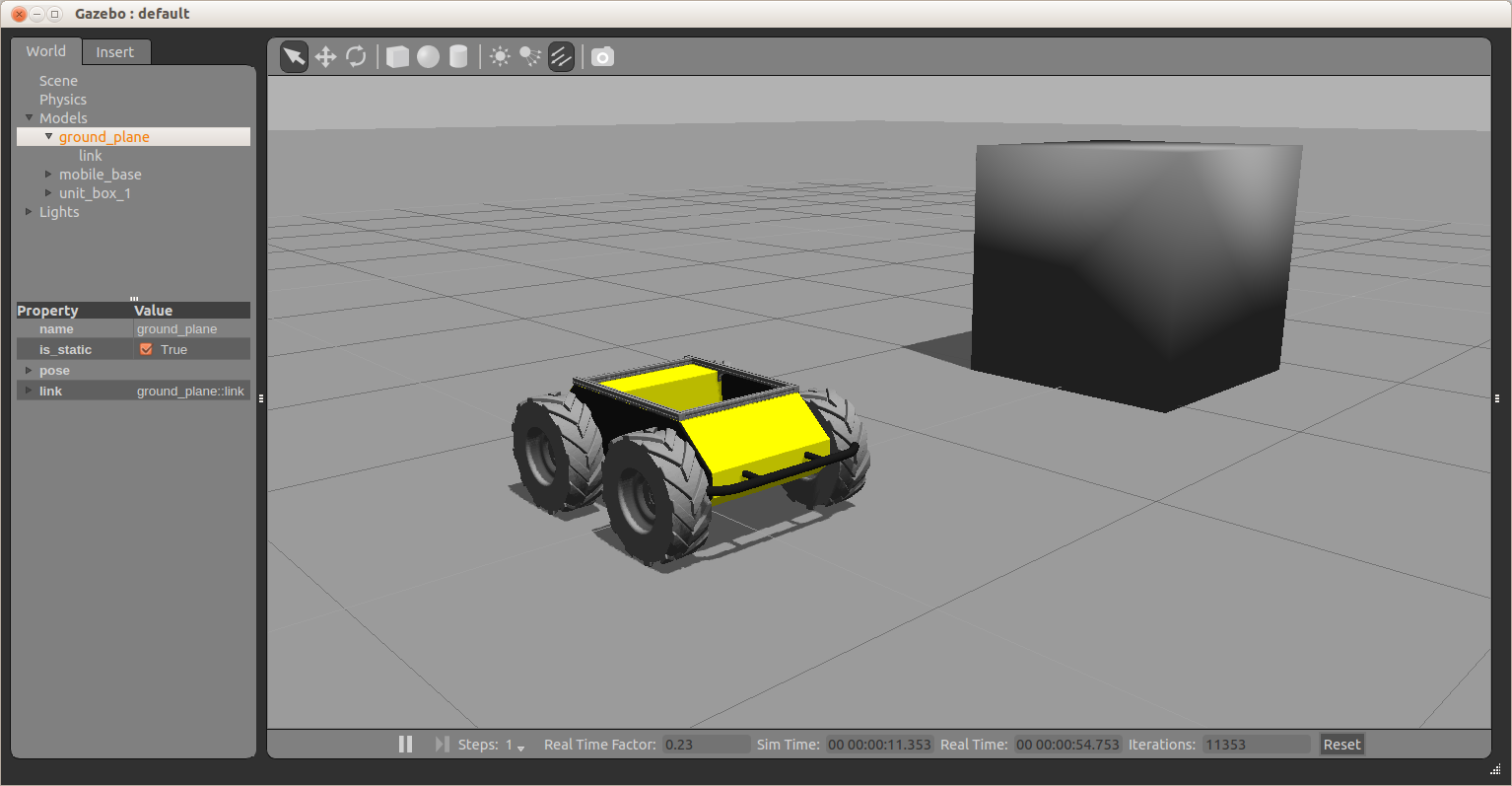
The first window shown is Gazebo. This is where we get a realistic simulation of our robot, including wheel slippage, skidding, and inertia. We can add objects to this simulation, such as the cube above, or even entire maps of real places.
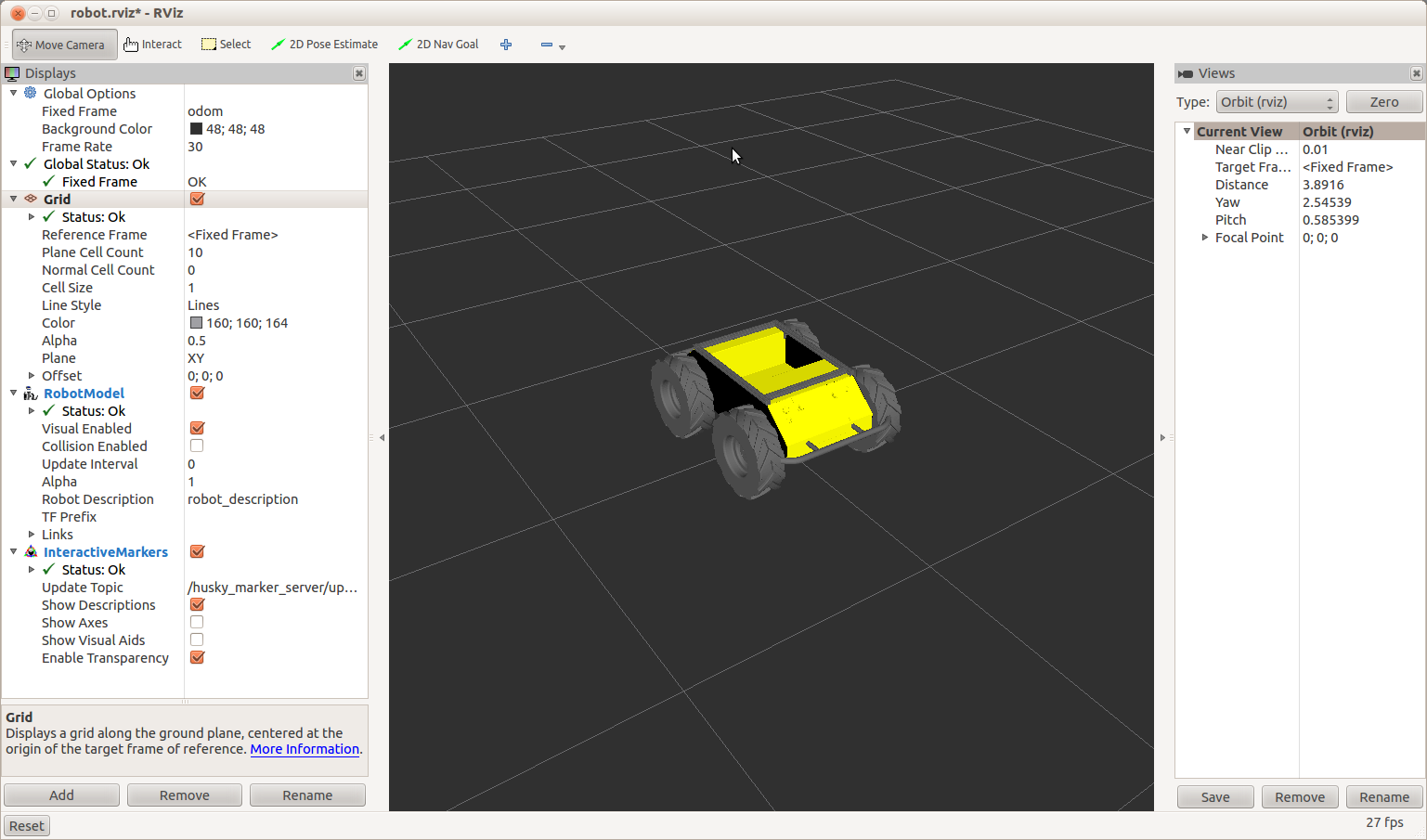
The second window is RViz. This tool allows us to see sensor data from a robot, and give it commands (We’ll talk about how to do this in a future post). RViz is a more simplified simulation in the interest of speed.
We can now command the robot to go forwards. Open a terminal window, and enter:
rostopic pub /husky/cmd_vel geometry_msgs/Twist -r 100 '[0.5,0,0]' '[0,0,0]'In the above command, we publish to the /husky/cmd_vel topic, of topic type geometry_msgs/Twist, at a rate of 100Hz. The data we publish tells the simulated Husky to go forwards at 0.5m/s, without any rotation. You should see your Husky move forwards. In the gazebo window, you might notice simulated wheel slip, and skidding.
Using rqt_graph
We can also see the structure of how topics are passed around the system. Leave the publishing window running, and open a terminal window. Type in:
rosrun rqt_graph rqt_graphThis command generates a representation of how the nodes and topics running on the current ROS Master are related. You should get something similar to the following:
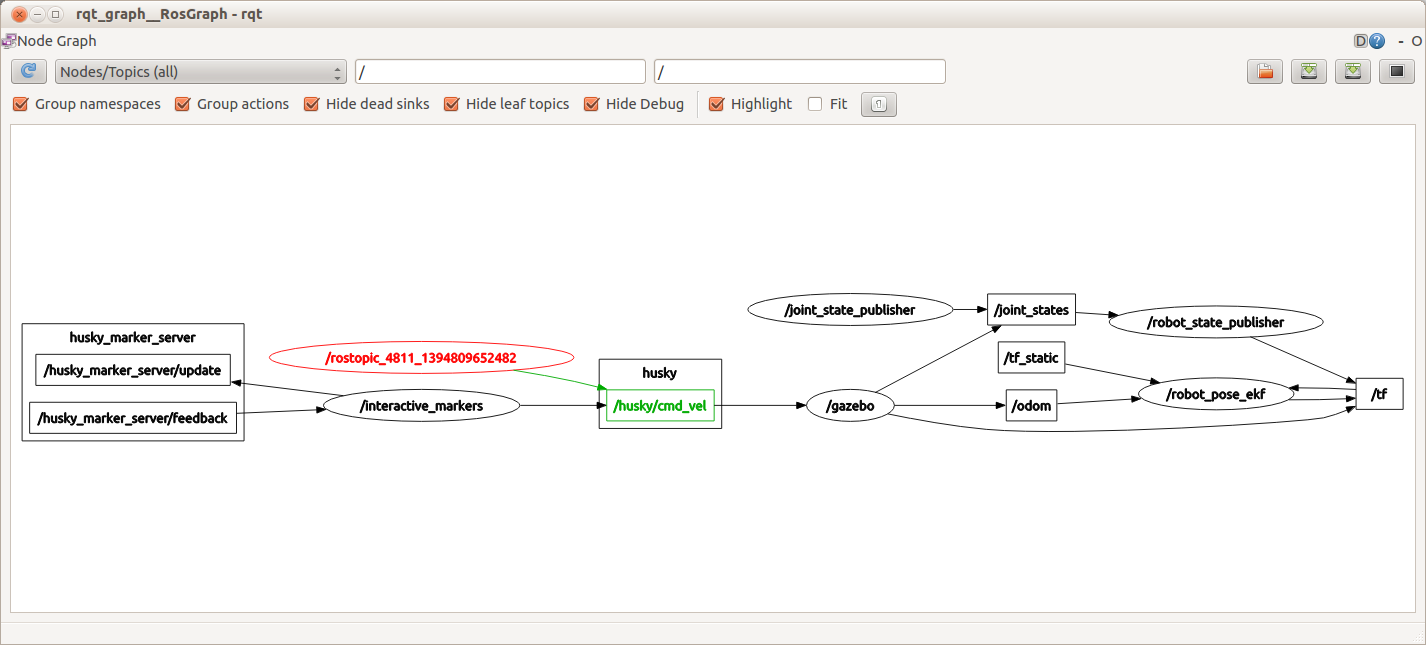
The highlighted node and arrow show the topic that you are publishing to the simulated Husky. This Husky then goes on to update the gazebo virtual environment, which takes care of movement of the joints (wheels) and the physics of the robot. The rqt_graph command is very handy to use, when you are unsure who is publishing to what in ROS. Once you figure out what topic you are interested in, you can see the content of the topic using rostopic echo.
Using tf
In Ros, tf is a special topic that keeps track of coordinate frames, and how they relate to each other. So, our simulated Husky starts at (0,0,0) in the world coordinate frame. When the Husky moves, it’s own coordinate frame changes. Each wheel has a coordinate frame that tracks how it is rotating, and where it is. Generally, anything on the robot that is not fixed in space, will have a tf describing it. In the rqt_graph section, you can see that the /tf topic is published to and subscribed from by many different nodes.
One intuitive way to see how the tf topic is structured for a robot is to use the view_frames tool provided by ROS. Open a terminal window. Type in:
rosrun tf2_tools view_frames.py
Wait for this to complete, and then type in:
evince frames.pdfThis will bring up the following image.
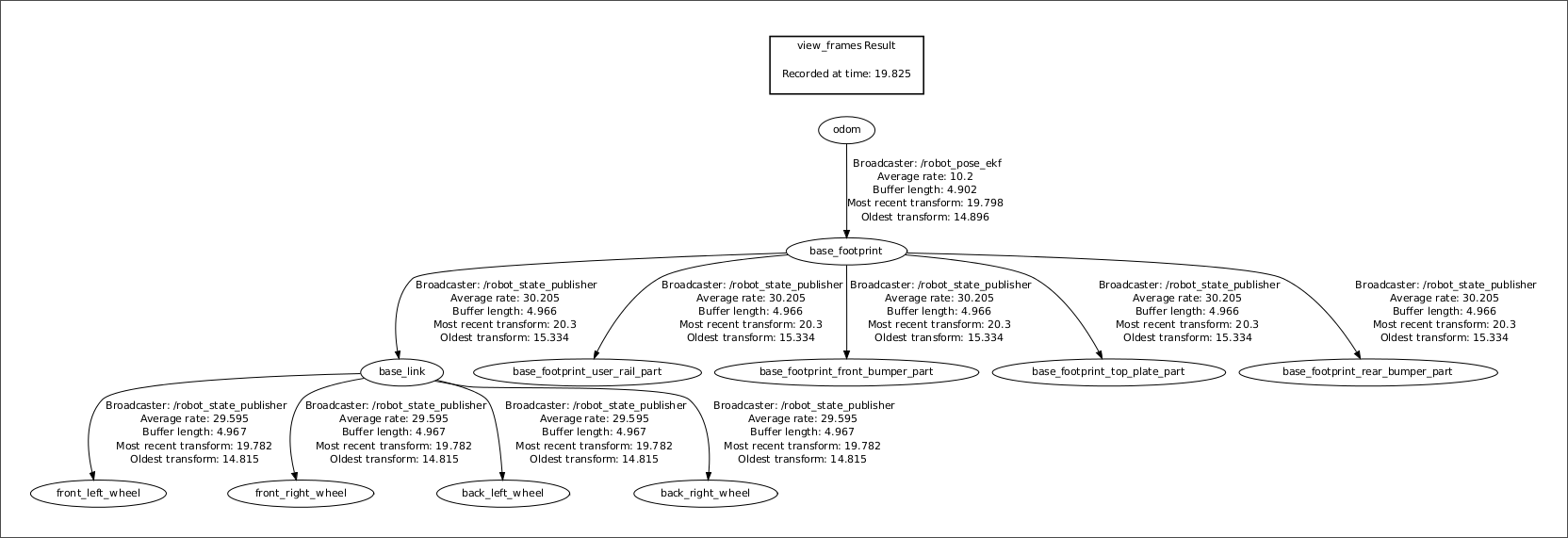 Here we can see that all four wheel are referenced to the base_link, which is referenced from the base_frootprint. (Toe bone connected to the foot bone, the foot bone….). We also see that the odom topic is driving the reference of the whole robot. This means that if you write to the odom topic (IE, when you publish to the /cmd_vel topic) then the whole robot will move.
See all the ROS101 tutorials here. If you liked this article, you may also be interested in:
- Up and flying with the AR.Drone and ROS: Getting started
- Taking your first steps in robotics with the Thymio II
- Discovering social robotics with the Aisoy1
- Parrot AR.Drone app harnesses crowd power to fast-track vision learning in robotic spacecraft
See all the latest robotics news on Robohub, or sign up for our weekly newsletter.
tags: Clearpath Robotics, Husky, ROS, ROS101 Tutorial, Simulation, tutorial

AUAI is supported by: